visualControl()v4.0.292
Preview feature: A few issues are known, and filed under this issue.
Creates a control in the right sidebar of the Remotion Studio that allows you to change a value.
Useful for if you have a hardcoded constant that you want to quickly find the optimal value for.
Example
Consider you have a value rotation that you want to find the optimal value for:
import {useVideoConfig } from 'remotion';
const MyComp : React .FC = () => {
const rotation = 180;
return <div style ={{rotate : `${rotation }deg`}}>Hello</div >;
};Instead of changing the value of rotation in the code, you can create a control in the right sidebar of the Remotion Studio that allows you to change the value:
import {visualControl } from '@remotion/studio';
const MyComp : React .FC = () => {
const rotation = visualControl ('rotation', 180);
return <div style ={{rotate : `${rotation }deg`}}>Hello</div >;
};Now, in the right sidebar of the Remotion Studio, you will see a control with the name rotation and a slider to change the value.
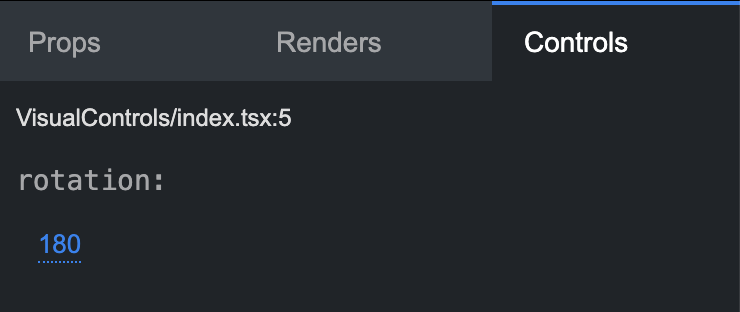
Now you can change the value as you please, until you have found the optimal value.
Once you are happy with the value, you can save it back to the code by clicking the save button in the right sidebar.
Defining a schema
Only primitive values (string and number) automatically infer the type of the control.
If you want to define a more complex schema, you can do so by passing a Zod schema as the third argument.
import {z } from 'zod';
const data = visualControl (
'my-data',
{
rotation : 180,
text : 'Hello',
},
z .object ({
rotation : z .number (),
text : z .string (),
}),
);See: Visual Editing
import {visualControl } from '@remotion/studio';
import {zColor } from '@remotion/zod-types';
const color = visualControl ('my-color', '#fff', zColor ());See: zColor()
import {visualControl } from '@remotion/studio';
import {zMatrix } from '@remotion/zod-types';
const matrix = visualControl ('my-matrix', [1, 2, 3, 4], zMatrix ());See: zMatrix()
When to use
- If you want to create configuration options, use the Props Editor.
- If you want to quickly find the optimal value for a hardcoded constant, use
visualControl().
Important to know
The saving feature works only if the first argument of thevisualControl() function is static, because static analysis is performed on the source file. The following will not work:
// ❌ Not possible to use string interpolation
const name = 'my-data';
const data = visualControl (`rotation-${name }`, 180);
// ❌ Not possible to use a variable
const idOutside = 'rotation-my-data';
const dataOutside = visualControl (idOutside , 180);